A mate tells me he tried Google Ads. He spent about £3,000 over two months and got nothing. Maybe a couple of calls, and they were rubbish.
“It doesn’t work for my business.”
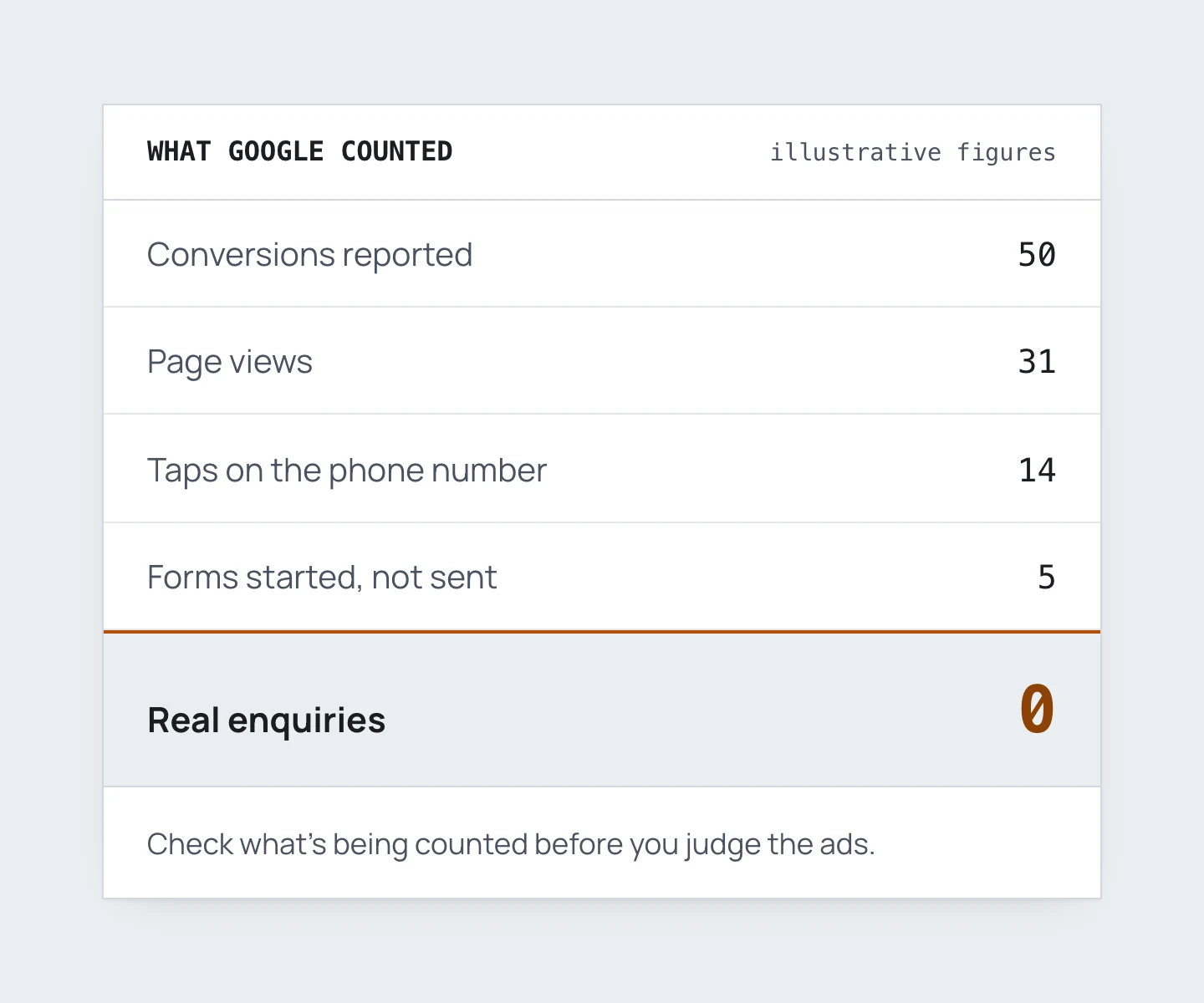
It’s one of the most common gripes going. On Reddit, a fencing company spent around £5,100. Google Ads reported 50 leads. The owner said not one was real.
Before anyone decides Google Ads doesn’t work, here’s what I’d want to know.
Start with who ran it
First question: who set it up and ran it? You, your web designer, a mate, a freelancer or an agency?
If it was someone else, what did they say when you raised it?
Then the calls. You say they were rubbish. How do you know they came from Google Ads? What made them rubbish? Where are the call recordings and transcripts? Which numbers called you?
If nobody can answer those questions, all we have is a general feeling. And some assumptions.
I get it. You’re busy running a business, and this isn’t your world. But this is why everything needs setting up properly in the first place.
If it was set up properly, we dig into the data. Ten minutes of questions usually gives a much clearer picture.
How Google can say 50 leads when you say zero
Google Ads counts conversions. A conversion is any action someone takes after clicking your ad. A call, a form, a download, a quiz, a booked appointment. For a fencing company it’s usually calls and forms.
So when Google says 50 and you say zero, Google tracked 50 actions after a click. Those actions may simply be set up wrong.
Here’s what I’d check:
- Did 50 actually happen, or is something being counted twice?
- If they did happen, where are they? Check the form entries in your website’s backend.
- Can you see the calls? Call tracking such as WhatConverts shows numbers, transcripts and recordings. So, to a lesser degree, do Google’s own forwarding numbers.
Somewhere between someone starting a form and something landing on your desk, it can break. That gap is where the 50 disappears.
The three things I find most often
Some accounts spend money and get nothing. When I open one, I usually find one of three things. Often it’s all three.
1. Conversion tracking is missing or wrong
This is the big one. I see it in more than half the accounts I look at. In accounts set up and run by the business owner, it’s about nine in ten.
Either nothing gets recorded at all, or lots gets recorded and none of it is real. The usual reasons:
- Page views counted as conversions
- Someone starting a form counted as a lead
- A tap on your phone number counted, even when no call was made
Google then optimises towards those fake wins. It finds you more people who look at a page and leave.
2. Broad match keywords pulling in the wrong searches
Look at the search terms that got clicks. In these accounts, most of them don’t fit the business. You’re paying for:
- Competitor names
- How-to searches
- Price and cost searches, when your ads and website never mention price
- DIY searches
- People outside your area
Most of that comes from broad match keywords. Short one- or two-word keywords make it worse, because they give Google too little context. I see this in roughly 40 to 50% of these accounts.
3. The wrong campaign type
Usually that means going all in on Performance Max without proper conversion tracking. Google gets the wrong signals and spends on its own terms.
It shows ads on Display and YouTube, often with no decent images or video. Google may even make an AI video for you. Views and impressions climb. Leads don’t.
The order I’d fix it in
If Performance Max is burning through the budget, pause it first. Don’t try to fix it while everything else is broken.
Fix the tracking
Everything else depends on this, including your reports and how Google bids.
Count two things as real conversions:
- Phone calls that actually happen. Google’s call tracking works. WhatConverts is better
- Forms that are successfully submitted
Taps on your phone number, email clicks and click-to-email become secondary actions. Google still records them, but stops chasing them. Page-view conversions go completely.
The next step is offline conversion tracking. That means telling Google which leads were qualified, or which turned into sales. It’s the best signal you can give it.
There’s a catch. If you only get a handful of qualified leads, Google won’t have enough to learn from. Getting this 80% right still makes a big difference.
Lead tracking is the part of my work that sorts this out.
Fix the search terms
Add lots of negative keywords. Go through the search terms properly, and keep going through them.
Running a small local trade business? Think about moving from broad match to phrase and exact. That applies when you don’t have lots of locations, huge search volume or a big budget.
Decide on Performance Max
Only run it if two things are true. You have real photos and video. And you can feed it offline conversions as its goal.
If not, switch it off and move that money into a Search campaign.
How you know it’s getting better
After a disaster, I’d watch it every day. The search terms should improve day by day. Judge the results week to week.
Don’t expect the phone to ring off the hook overnight. A good week looks like this:
- Most of the search terms you can see fit your business
- Your daily budget is being spent on those searches
- Click-through rate is decent. For a local trade on search, I’d want above 3 to 4%
- You’re still getting at least 10 clicks a day
Then look at what happens on the website. Microsoft Clarity is free and shows how visitors behave. Are people staying longer than before? Are they scrolling past the top of the page instead of leaving? GA4 shows bounce rate and time on site for each ad group.
The best sign is better leads coming in. Set up a simple way to mark each one as quotable or not. Feed that back to Google, with a value for quotable leads. Follow each one through to a sale and what it was worth.
You’ve got a bad period to compare against. Use it. Measure every week against the averages from before the fix.
Not sure what a fair test looks like? Read how much Google Ads costs a small UK trade business. Want someone to look over your account? A Google Ads audit covers all of the above.