A mate tells me Google keeps ringing him. Someone called Priya says he should switch on Performance Max. She wants his budget raised to £80 a day. And she wants auto-applied recommendations turned on.
“They’re from Google, so they must know what they’re doing, right?”
I warn every client about these calls before they start.
Who’s actually calling
They say they’re from Google, and some really are. Treat them as carefully as the scam calls pretending to be Google.
They’re best described as sales reps. Their job is to get you to opt into features. What they push is built to grow Google’s revenue.
They’ll say they’ve looked at your business. They haven’t. They don’t know your account, and often they’ve never run Google Ads themselves. They’ve been trained, and they read from a script.
The script goes like this. Get you on a call. Get you to accept recommendations. Get you to start a new type of campaign. Get your budget up. Expect a few scare tactics along the way.
Some will stress that they work for Google directly, not a third party. That doesn’t make them qualified either. Unless you spend millions a month, nobody on that call knows your account. Nor do they put your interests first.
What happens when you say yes
A business owner got in touch with me about poor performance. Spend was up and leads weren’t coming in.
I went through the account’s change history. On one date, about 50 broad match keywords had been added. No negative keywords were added alongside them.
From that day, impressions and spend jumped. The new money went on those keywords. The search terms they matched were poor. The extra spend brought in no conversions at all.
I asked why they’d made the change on that date. Google had rung them. The rep said broad match keywords would improve performance.
They added the keywords on the call. They raised their budget by about 50% at the same time.
The scare lines, and what’s behind them
These are the lines I hear about most often. There’s very little truth behind any of them.
“You’ve got critical errors.” Check the Recommendations tab yourself. Most of what’s listed there is optional. Disapproved ads and conflicting negative keywords are the only items I’d act on quickly.
“You’re missing out.” On what? Extra impressions and clicks only matter if they become jobs. More of the wrong traffic costs you money.
“Your competitors are showing ahead of you.” Being above a competitor is worth nothing on its own. What matters is whether the clicks you pay for turn into work.
“You’re spending less than others in your industry.” Their budget tells you nothing about yours. What counts is enough budget for a fair test. I cover that in what Google Ads costs a small UK trade business.
The Recommendations tab and optimisation score
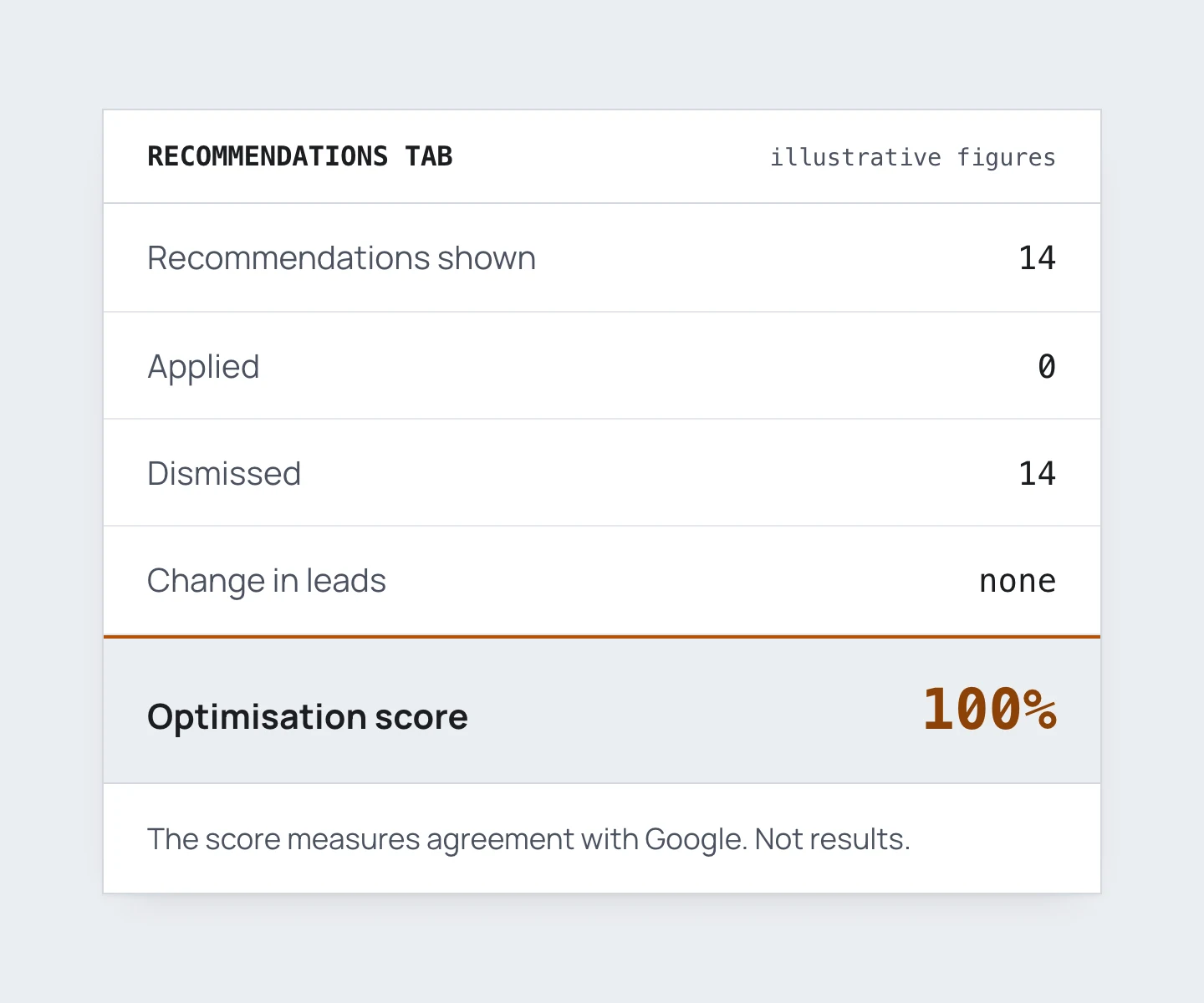
Every time you log in, Google shows you an optimisation score and a list of recommendations.
The score is not a measure of a good account. It has no effect on how your ads perform. Ignore it.
You can dismiss every recommendation and watch the score hit 100%. Nothing about your results changes.
Is anything worth doing? A rep has suggested something useful a handful of times in all my years. It was usually a technical issue on Google’s side.
Two recommendations are worth a look:
- Conflicting negative keywords. A negative keyword is blocking a keyword you want to show for. That’s rarely deliberate.
- Disapproved ads or assets. Something isn’t showing, and you should know why.
Ignore the rest. That means changing your bid strategy, broadening keywords and adding a campaign type. And opting into anything automated or AI.
Not sure about one? Take a screenshot, then search it on Google before acting.
The one line to use on the phone
When the rep rings, say this:
“Please email us your suggestions.”
On the phone, you get pushed to log in and make changes while they listen. By email, you can take your time. Read it, ask someone you trust, search it, check Reddit.
You’ll soon see everyone gets the same suggestions.
If they start the pitch again, repeat the line and end the call. They have your email address. If the suggestions were worth sending, they’d send them. In my experience they almost never do.
Already said yes? Here’s how to undo it
First, check the change history in your account. Some changes can be reversed with one click.
Then switch off auto-apply. Go to the Recommendations tab, open the auto-apply settings, and opt out of everything.
How long ago did it happen, and how much damage has it done? If it’s minimal, switch it all off and watch the next few weeks.
If Performance Max is running
Pause it, unless it’s tracking qualified leads or offline conversions. Otherwise it’s chasing clicks and spam form fills.
The exception is running it as a deliberate test. That means accepting the cost while you fix the setup. Work towards feeding it qualified leads, not just any form fill.
If the leads it brings in look wrong, here’s what’s usually behind that.
Can you stop the calls?
There are settings in your Google Ads account to opt out. In my experience, Google ignores them. The calls keep coming.
So don’t pick up calls from unknown or international numbers. When one gets through, use the line: “Please email us your suggestions.”
If an agency or freelancer runs your account, tell them every time a rep calls. A good one will want to know before anything changes. If you’re not sure your account is being run well, here’s how to tell.